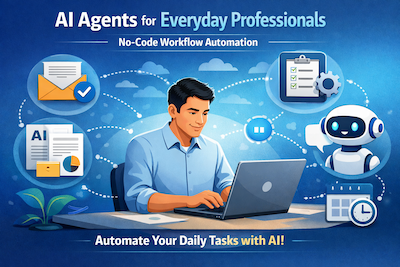
Over the last few weeks, I’ve been intentionally learning how AI agents can be applied by non-developers to improve everyday professional work.
One of the most practical courses I completed recently was “AI Agents for Everyday Professionals” on LinkedIn Learning.
What I appreciated most about this course is that it removes the fear factor around AI agents. You don’t need to be a programmer, data scientist, or AI researcher. Instead, the focus is on thinking in workflows and letting AI handle repetitive cognitive tasks.
🧠 What I Learned from This Course
At a high level, the course explains that AI agents are not just chatbots. They are:
- Task-oriented AI workflows
- Triggered by an event (email, form, document, schedule, etc.)
- Able to reason, generate content, summarize, classify, and respond
- Often connected with no-code automation tools
Typical use cases demonstrated include:
- Email summarization and drafting replies
- Meeting notes generation
- Document analysis
- Daily work reporting
- Knowledge extraction from unstructured data
🔹 Core Building Blocks of an AI Agent
The course breaks AI agents into simple components:
- Trigger – What starts the workflow(e.g., new email, uploaded file, form submission)
- AI Action – What the AI does(summarize, classify, extract, generate, rewrite)
- Logic / Conditions – Optional decision-making(if content contains X, do Y)
- Output / Destination – Where results go(email, document, spreadsheet, Slack, Notion, etc.)
Once you understand these blocks, everything becomes reusable.
🧩 Step-by-Step: Creating an AI Agent Workflow from a Template
(As demonstrated in the course video)
This is the fastest way to start using AI agents.
Step 1: Choose a Pre-Built Template
- Open the automation or AI workflow tool shown in the course
- Navigate to Templates
- Select a use case such as:
- Email summarizer
- Meeting notes generator
- Content drafting assistant
Templates already contain:
- A trigger
- A connected AI action
- A predefined output
Step 2: Connect Your Data Source
- Link the trigger to your source:
- Email inbox
- Document folder
- Form responses
- Authorize access if required
This defines when the agent should run.
Step 3: Review the AI Prompt
- Open the AI step inside the template
- Review the prompt used (very important)
- Example prompts focus on:
- “Summarize in bullet points”
- “Extract key action items”
- “Rewrite in professional tone”
You can edit wording, tone, or format without breaking the workflow.
Step 4: Define the Output
- Choose where the AI result should go:
- Email draft
- Google Doc
- Spreadsheet row
- Notes app
This step turns AI output into usable work.
Step 5: Test and Activate
- Run a test with sample data
- Review AI response
- Adjust prompt if needed
- Turn the workflow ON
✅ Your AI agent is now working automatically.
Baseus Mini Car Air Compressor 12V 150PSI . Click to buy
🛠️ Step-by-Step: Building an AI Agent Workflow from Scratch
As per training method
This approach gives maximum control.
Step 1: Define the Goal
Start with a clear task:
- “I want AI to summarize long emails”
- “I want AI to analyze uploaded documents”
- “I want AI to prepare daily reports”
A clear goal prevents over-engineering.
Step 2: Create a Trigger
Select how the workflow starts:
- New email arrives
- File is uploaded
- Form is submitted
- Scheduled time
This is the entry point of the agent.
Step 3: Add an AI Action
Insert an AI step:
- Choose the AI model
- Write a clear prompt:
- What the AI should do
- Output format (bullets, table, short paragraph)
- Tone (professional, concise, neutral)
This step is where agent intelligence lives.
Step 4: Add Logic (Optional)
You can include conditions like:
- If email length > X → summarize
- If document type = contract → extract clauses
- If urgency detected → flag as high priority
This is where workflows start feeling agentic.
Step 5: Send the Output Somewhere Useful
Decide where results go:
- Draft email reply
- Save to a document
- Update a tracker
- Notify a team channel
AI becomes valuable only when results are actionable.
Step 6: Test, Refine, and Scale
- Test with real examples
- Improve prompts
- Reuse the workflow for other tasks
Small improvements compound quickly.
🚀 Key Takeaways
- AI agents are workflow thinkers, not just chat tools
- Templates help you start fast
- Building from scratch helps you scale intelligently
- Prompt clarity matters more than technical complexity
- Everyday professionals can benefit today, not “in the future”
🔚 Final Thoughts
This course reinforced a simple idea for me:
AI agents are not about replacing professionals — they are about removing friction from daily work.
For anyone feeling overwhelmed by AI hype, this training is a practical and confidence-building entry point.